Overview
When I Work offers different plans that allow you to configure your account to best suit your business needs. You can change plans from the Account & Billing page.
Considerations
- You must have admin access privileges to access the Account & Billing page.
- We accept payments via credit card only.
Change your plan
- Hover over in the upper right corner of the account, then select Account & Billing from the dropdown.
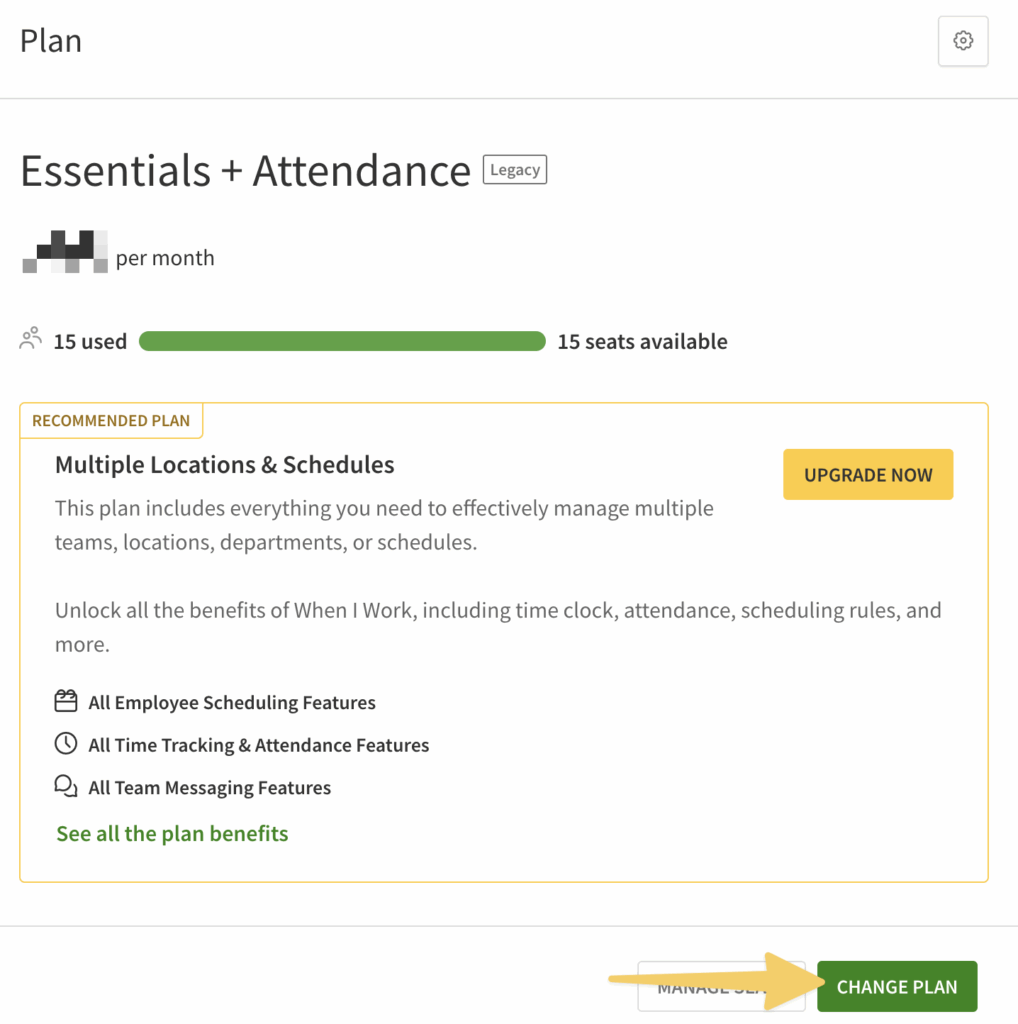
- On the Billing page in the Plan information, click Change Plan.
- Review the plans.
- If you’d like to compare monthly and annual pricing, click the Annually (5% discount) button.
- If you have questions about plan offerings, click Talk to Sales.
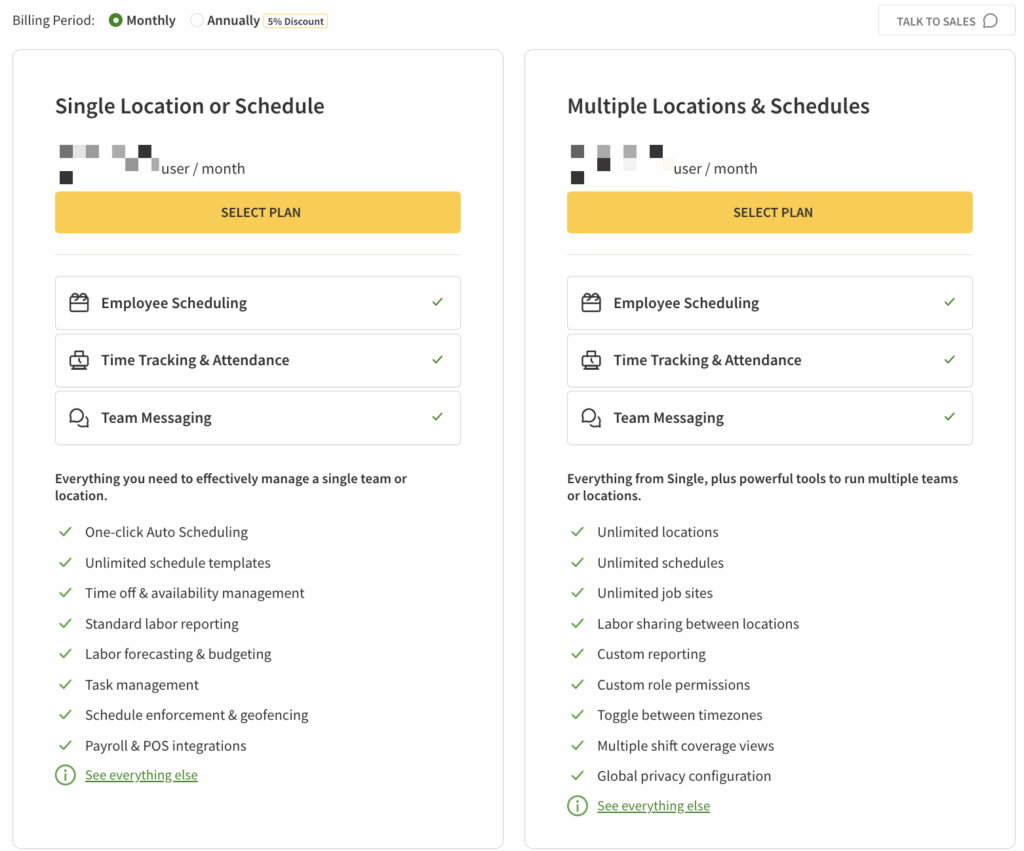
- Click Select Plan.
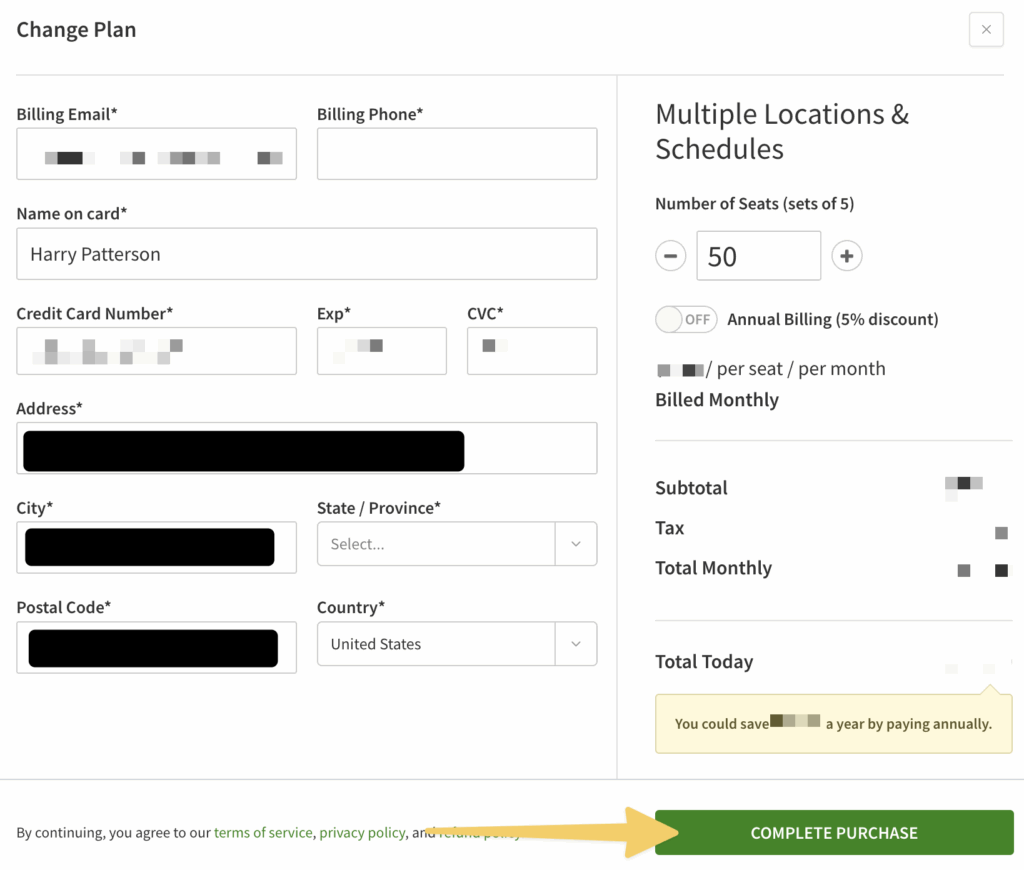
The Update Plan screen appears. - Select the number of seats. Click + and – to select how many total seats you need in your account.
- Toggle on the switch for Annual Billing if you would like to pay for a year of service in advance. Annual subscriptions are one-time payments.
- Click Complete Purchase.