Overview
Determine if and how your staff will use When I Work to help manage Time Off for your business
Considerations
- Must have admin or manager level access to change Time Off Settings
- If any changes are made, click Save in the top right corner of the screen
Accessing Time Off Settings
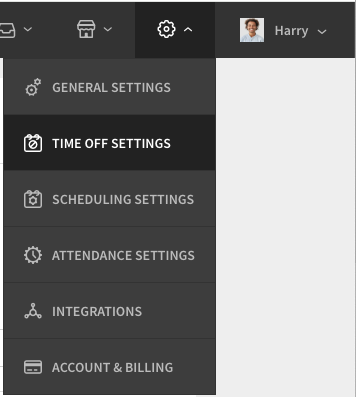
Hover over Gear menu, then select Time Off Settings.
Time Off Settings
Time Off Requests
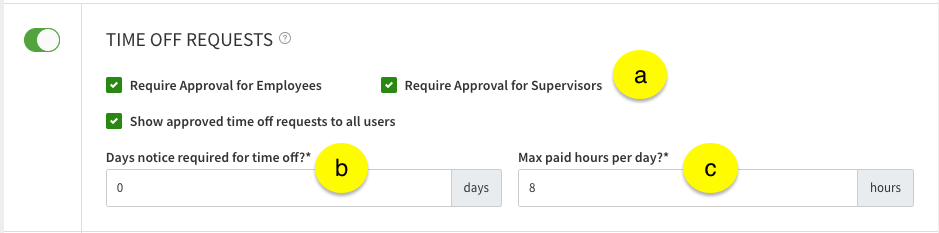
Toggling time off requests on allows your team to submit time off within the web or mobile application.
| Callout |
| Description |
| a |
| Check these boxes to enable approval for Employee and/or Supervisor level users requests |
| b |
| Enter how many days in advance a user should submit a time off requests |
| c |
| Enter the maximum number of paid hours a user can submit in a single all day request |
| Callout | Description |
| a | Check these boxes to enable approval for Employee and/or Supervisor level users requests |
| b | Enter how many days in advance a user should submit a time off requests |
| c | Enter the maximum number of paid hours a user can submit in a single all day request |
Time Off Types
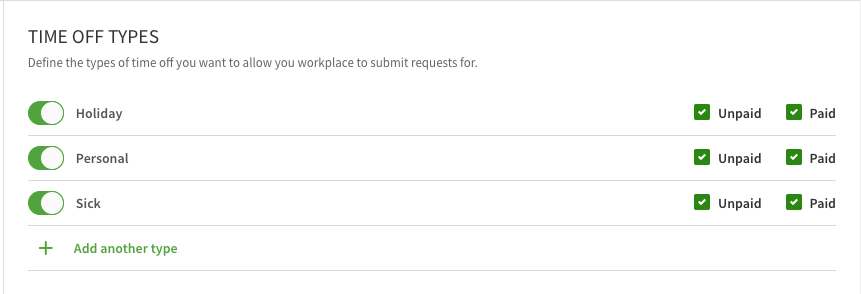
This section allows you to set up what types of time off your team can submit. Click Plus button Add another type to create a custom time off type. The custom field is useful when you want to add types like Jury Duty, Bereavement, or a Floating Holiday.
| Type | Holiday |
| Description | Time off for a holiday.
|
| Type | Personal |
| Description | Time off for personal reasons.
|
| Type | Sick |
| Description | Time off for illness or emergency.
|
| Type | + Add another type |
| Description | Custom time off slot to add your own
|
| Type | Description |
| Holiday | Time off for a holiday.
|
| Personal | Time off for personal reasons.
|
| Sick | Time off for illness or emergency.
|
| + Add another type | Custom time off slot to add your own
|
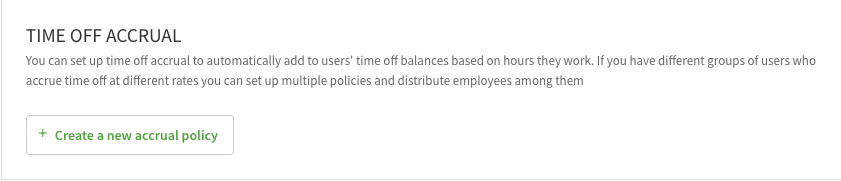
Time Off Accrual
Use this section to manage time off accrual policies you have and add users to them along with their balances.